
Are Genesis Connected Services Worth It for 2025 Drivers? Here’s What You Get
Genesis Connected Services puts a full suite of safety and handy tools right at your fingertips, totally changing how you interact with your car. This technology keeps you connected to your Genesis with remote options and safety backups that quietly do their job, providing peace of mind as you go about your day. At Genesis of Columbia in South Carolina, we’ve put together this guide to help you understand how to install and maximize the benefits of Genesis Connected Services.
Setting Up Genesis Connected Services
Getting Genesis Connected Services running is straightforward, but there’s usually an activation window that you need to be aware of. Enrollment usually becomes available 24-48 hours after the dealer submits the paperwork. If you miss that window, you can still call Genesis customer care at 844-340-9741 to reset the request.
First owners of 2023 or newer Genesis models receive free services for life. Genesis models from 2022 and earlier cars have a three-year complimentary period; after that, it’s a paid plan.
Download the Genesis Intelligent Assistant app first — it requires iOS 14.0 or later or Android 12.0 or later for the latest version. Once you’ve installed it, you can create an account, link your VIN, and follow the prompts to get set up in no time. You can use fingerprint or face login for quick access.
If your vehicle uses the older AVN 2.0 infotainment system, start the engine, press the Genesis (wing) button on the dash, open Settings, select Service Activation, and wait until the screen displays “Genesis Enrollment Successful.”
For cars with the newer DIS 3.0 wide-screen interface, press HOME, tap Setup, open Genesis Connected Services, and choose Service Activation. You’ll then need to leave the vehicle running until the activation completes.
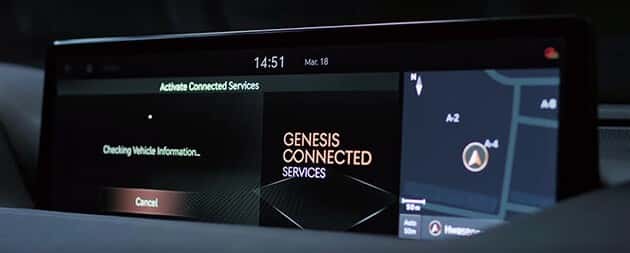
Detailed Features of Genesis Connected Services
Genesis Connected Services has three packages that work together: Connected Care, Remote, and Guidance. They handle emergency help, maintenance tracking, remote starting, and navigation. You can access everything from your car’s screen, online, through the app, or a smartwatch.
Key features include automatic collision notification, charge management for electric models, digital key using your phone, remote start with climate control, and stolen vehicle recovery. The system monitors your car’s health to catch problems early.
Anti-theft Alarm and Alerts
The Connected Care package links you to what’s happening in your car and connects you with emergency help when something goes wrong. If someone tries to break in, you’ll get a phone alert right away.
The Remote package includes stolen vehicle recovery tools, such as methods to slow down your car, which can help police recover it safely. With Valet Alert, the system instantly pings you the moment your car is driven beyond a defined radius you’ve set, which can be very reassuring when you hand your keys to a valet or car-wash attendant. You also get speed alerts for unsafe driving, and airbag deployment automatically calls emergency services. There’s even an SOS button above your mirror for manual emergency assistance.
Real-Time Traffic Data and Navigation
The Guidance package enables you to search for restaurants and sends addresses directly to your car, eliminating the need for typing while driving. The traffic info isn’t just basic navigation; it also changes your route when traffic gets bad, so you can get where you need to be even faster. You can use voice control to tell your Genesis where you want to go, track parking locations, and adjust your maps to show 3D buildings and landmarks, making navigation even easier.
Over-the-Air Updates
Over-the-air updates are currently only available on GV60 models from 2023 or later, allowing your Genesis to update itself wirelessly, without the need to visit the dealership. Genesis has promised this feature will be rolled out to other models, but has not confirmed when. Updates take less than 100 minutes, with progress shown on your screen. Your app will notify you when updates are ready, allowing you to access new maps, apps, security improvements, and new features. The system updates automatically every six months, with safety updates coming more frequently.
For 2025, the refreshed GV80 and GV80 Coupe use over-the-air updates for maps and other infotainment content only. Every other model must still rely on a USB stick or dealer visit for core firmware flashes.
Experience the Future of Connected Driving With Genesis
Genesis Connected Services changes how you interact with your car, making daily drives and road trips easier while adding real value throughout ownership. This isn’t just another feature — it creates entirely new ways to interact with your vehicle. Contact us at Genesis of Columbia to see how these connected tools can enhance your driving experience and give you peace of mind, knowing your car is always looking out for you.
Images by OEM

0 comment(s) so far on Are Genesis Connected Services Worth It for 2025 Drivers? Here’s What You Get